Introduction Link to heading
Something I’ve noticed while supporting .NET applications over the years, is the lack of robust health checks. The most common pattern of health check I see deployed, is a simple health controller that returns some minimal basic text like “Healthy”. Not to say this is incorrect, as it validates that the application has successfully started up and has the ability to serve requests. But depending on the nature of your exception handling within the rest of your application, it could continue reporting “Healthy” while one of your dependencies are failing. This becomes even more of a problem in Kubernetes, where the intelligent load balancing, scaling and auto-healing rely heavily on them.
This is where some more intricate health checks come in. It would be great to be able to monitor all of our services dependencies and report varying levels of degradation. I will take you through how we can achieve this with the health checks available out of the box in .NET with some help from AspNetCore.HealthChecks.
Basic health Checks Link to heading
We can implement the most basic form of health check by adding the following into our app initialisation. This adds a simple health endpoint at “/health” that will return the health status of our app.
public class Program
{
    public static void Main(string[] args)
    {
        var builder = WebApplication.CreateBuilder(args);

        builder.Services.AddHealthChecks();

        var app = builder.Build();

        app.UseHealthChecks("/health");

        app.Run();
    }
}
This is no different to the situation described earlier though, which doesn’t factor in any of our dependencies. Luckily there is a great library that handles many of the common dependencies that many of us use. It’s called AspNetCore.HealthChecks. Below, I will show an example of adding in some out of box health checks for SQL Server & Redis.
public class Program
{
    public static void Main(string[] args)
    {
        var builder = WebApplication.CreateBuilder(args);

        builder.Services.AddHealthChecks()
            .AddSqlServer("Server=localhost;Database=master;User Id=sa;Password=SuperStr0ngP@ssw0rd;TrustServerCertificate=True;", "SELECT 1")
            .AddRedis("localhost:6379");

        var app = builder.Build();

        app.UseHealthChecks("/health");

        app.Run();
    }
}
Now I will need to spin up the required dependencies using the following docker-compose file and running docker-compose up -d:
services:
  mssql:
    image: mcr.microsoft.com/mssql/server:2022-latest
    container_name: mssql
    ports:
      - "1433:1433"
    environment:
      SA_PASSWORD: "SuperStr0ngP@ssw0rd"
      ACCEPT_EULA: "Y"
    restart: unless-stopped

  redis:
    image: redis:latest
    container_name: redis
    ports:
      - "6379:6379"
    restart: unless-stopped
Now after starting my app and navigating to https://localhost:5036/health we see the following response:
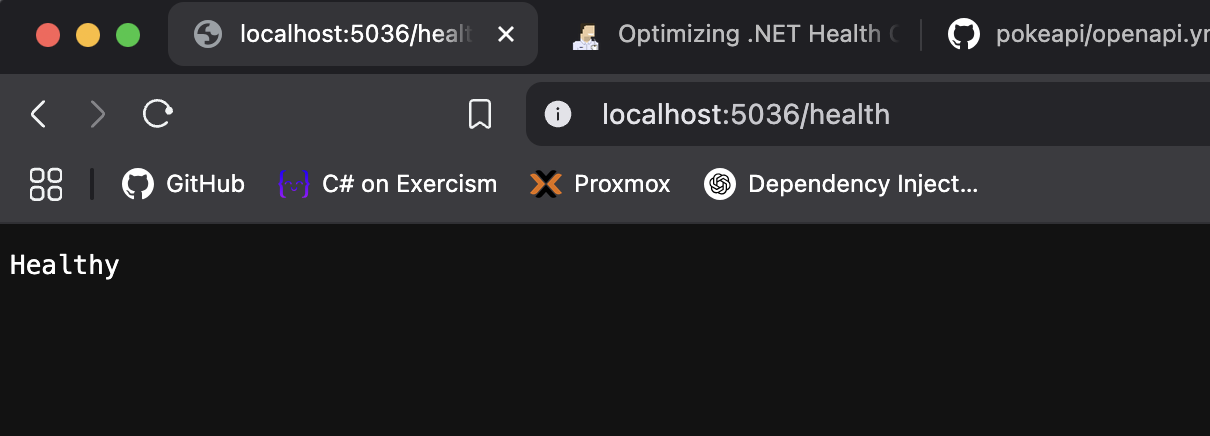
Perfect - a “Healthy” response. This means our two dependencies, SQL Server and Redis, are both running and we are able to connect. I will demonstrate an unhealthy response after I show you how to get a bit more detail in our health response message.
More detailed health responses Link to heading
With the use of HealthCheckOptions, we are able to pass a custom response writer to our health check middleware. Luckily for us, AspNetCore.HealthChecks.UI.Client provides us with one that works quite nicely out of the box, so we will use that.
app.MapHealthChecks("/health", new HealthCheckOptions()
    {
         Predicate = _ => true,
         ResponseWriter = UIResponseWriter.WriteHealthCheckUIResponse
    });
Now lets have a look at our health endpoint. Its now returning some JSON:
{
  "status": "Healthy",
  "totalDuration": "00:00:00.0212119",
  "entries": {
   "sqlserver": {
      "data": {

      },
      "duration": "00:00:00.0211162",
      "status": "Healthy",
      "tags": []
    },
    "redis": {
      "data": {

      },
      "duration": "00:00:00.0159537",
      "status": "Healthy",
      "tags": []
    }
  }
}
Now we are getting some more detail, such as the time each health check took to run. Below, we will see some additional information in the event of a failure. Im going to change the port numbers in the connection strings for each healthcheck to simulate a network failure.
{
  "status": "Unhealthy",
  "totalDuration": "00:00:14.7357318",
  "entries": {
    "sqlserver": {
      "data": {

      },
      "description": "A network-related or instance-specific error occurred while establishing a connection to SQL Server. The server was not found or was not accessible. Verify that the instance name is correct and that SQL Server is configured to allow remote connections. (provider: TCP Provider, error: 35 - An internal exception was caught)",
      "duration": "00:00:14.7280969",
      "exception": "A network-related or instance-specific error occurred while establishing a connection to SQL Server. The server was not found or was not accessible. Verify that the instance name is correct and that SQL Server is configured to allow remote connections. (provider: TCP Provider, error: 35 - An internal exception was caught)",
      "status": "Unhealthy",
      "tags": []
    },
    "redis": {
      "data": {

      },
      "description": "It was not possible to connect to the redis server(s). Error connecting right now. To allow this multiplexer to continue retrying until it's able to connect, use abortConnect=false in your connection string or AbortOnConnectFail=false; in your code.",
      "duration": "00:00:00.0304445",
      "exception": "It was not possible to connect to the redis server(s). Error connecting right now. To allow this multiplexer to continue retrying until it's able to connect, use abortConnect=false in your connection string or AbortOnConnectFail=false; in your code.",
      "status": "Unhealthy",
      "tags": []
    }
  }
}
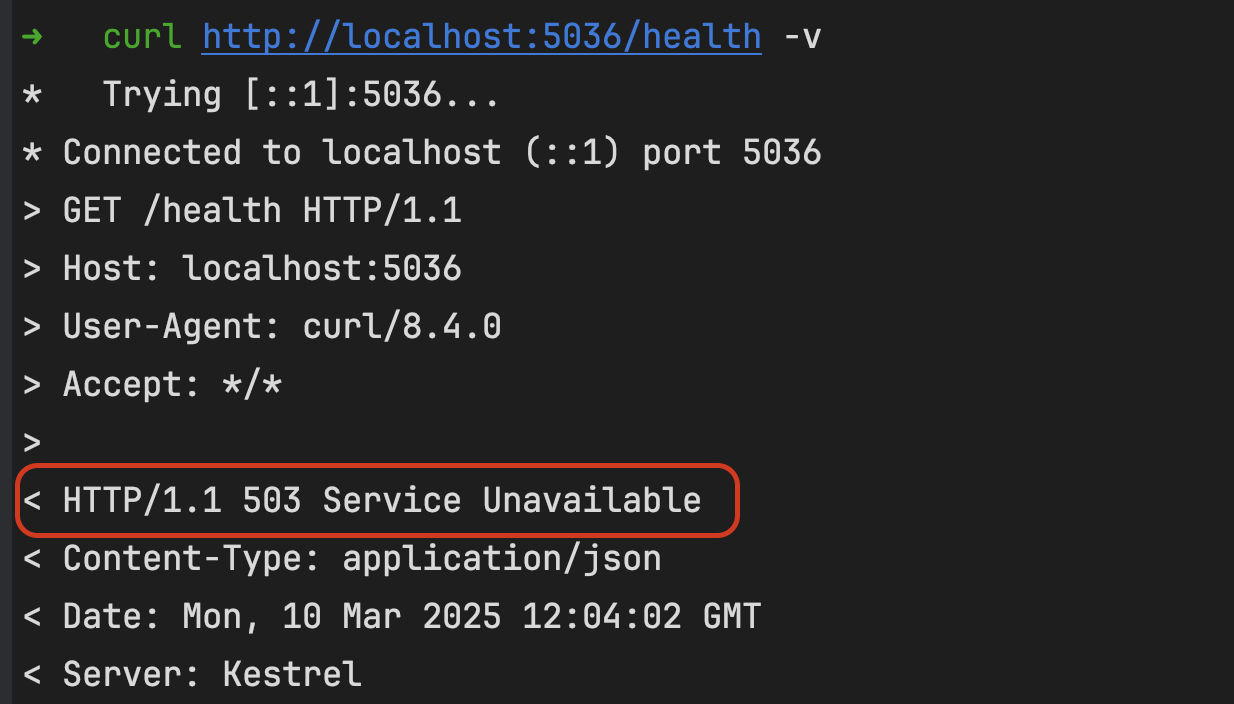
We can also see when curl’ing, it returns a 503:
Custom health checks Link to heading
Lets assume your service depends on a downstream API, which most modern web services do. We would like a way of confirming that API is also healthy as part of our new comprehensive health check.
We can do this by creating our own health check class and implement the IHealthCheck interface. This creates a method called CheckHealthAsync where we can add our health check logic and return a HealthCheckResult for our middleware to report on. Today, we’ll use the public Pokemon API to simulate a downstream service.
public class CustomHealthCheck(IHttpClientFactory httpClientFactory) : IHealthCheck
{
    private IHttpClientFactory _httpClientFactory = httpClientFactory;

    public async Task<HealthCheckResult> CheckHealthAsync(HealthCheckContext context, CancellationToken cancellationToken = new CancellationToken())
    {
        using var client = _httpClientFactory.CreateClient();
        var response = await client.GetAsync($"https://pokeapi.co/api/v2/pokemon", cancellationToken);

        return response.IsSuccessStatusCode ? HealthCheckResult.Healthy("PokeAPI is healthy")
            : HealthCheckResult.Unhealthy("PokeAPI is unhealthy");
    }
}
And then in our program.cs. You can see here that we are explicitly telling it what status to report when the service is unhealthy. Another option is Degraded, which could be useful for non critical dependencies.
builder.Services.AddHealthChecks()
            .AddCheck<CustomHealthCheck>("PokeApi", failureStatus: HealthStatus.Unhealthy)
            .AddSqlServer("Server=localhost;Database=master;User Id=sa;Password=SuperStr0ngP@ssw0rd;TrustServerCertificate=True;", "SELECT 1")
            .AddRedis("localhost:6379");
Now in our response we can see a healthy “PokeApi” which took 28ms to call.
{
  "status": "Healthy",
  "totalDuration": "00:00:00.2500764",
  "entries": {
    "PokeApi": {
      "data": {

      },
      "description": "PokeAPI is healthy",
      "duration": "00:00:00.0280181",
      "status": "Healthy",
      "tags": []
    },
    "sqlserver": {
      "data": {

      },
      "duration": "00:00:00.2437904",
      "status": "Healthy",
      "tags": []
    },
    "redis": {
      "data": {

      },
      "duration": "00:00:00.1112700",
      "status": "Healthy",
      "tags": []
    }
  }
}
Conclusion Link to heading
And there you have it - comprehensive health checks for all of your dependencies and beyond! These will no doubt provide your application with an added level of resilience. I would recommend considering the points of failure in your application and cover them with health checks.
I might turn this into a series as there are a couple more topics that I would like to cover on health checks without making this post too long. I will add the links below when they’re published.
Thanks for reading!
Links and resources Link to heading
- Great demo of health checks: https://www.youtube.com/watch?v=kzRKGCmGbqo
- Github - AspNetCore.Diagnostics.HealthChecks